Walkers
Lead the little walkers home: give each one a job to build a bridge, dig a way down or turn the others back, in twenty-five levels.
- Solo
A big ship takes her time to answer. Bring her in with the engine, the rudder and the thrusters, and lay her alongside the berth gently, before the tide turns.
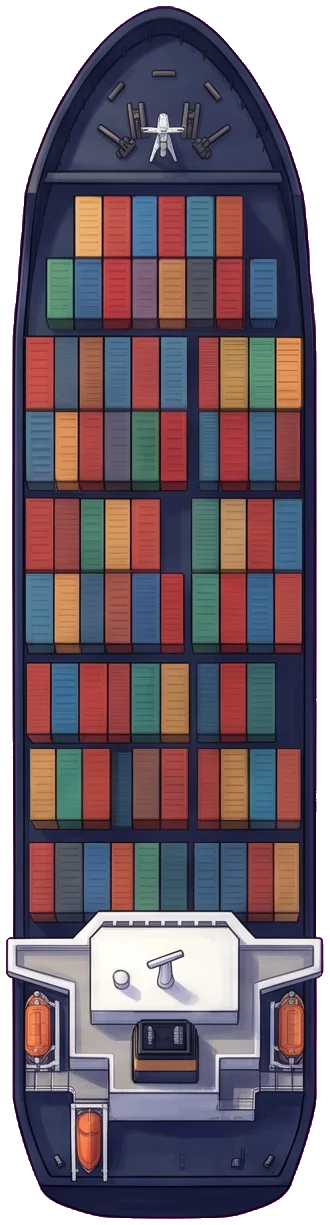
Bring the ship into the harbor and lay her alongside the berth marked by the corner brackets, slowly and gently, before the tide turns. Eight harbors, each opening the next.
↑ and ↓ move the engine telegraph a step at a time, from full astern through stop to full ahead, and she comes to its speed slowly: a big ship needs a long way to stop. ← and → move the rudder while you hold them, and it stays where you leave it. It turns her only while water runs past it, from her own way or the engine’s wash going ahead; stopped, it does nothing, and going astern it works the other way round.
Z and X push her bow to port or starboard while you hold them, C and V her stern; both one way move her sideways. They work only when she is nearly stopped: the last few metres alongside are their job.
Bring her alongside the berth, parallel to the quay (either way round), within a few metres of it, slower than about a knot and not turning. The corner brackets turn green while she lies right; hold her there a moment and she is made fast. The faster you do it, the better your time.
The fenders take a gentle touch. A bump against a quay, a breakwater or another ship any faster costs hull, which has three pieces; with none left she is holed and the harbor is lost. The ferries crossing a harbor don’t stop for you.
In some harbors the wind leans on her side and a current carries her; the panel shows which way each goes. Each harbor has its time before the tide turns: alongside by then, or try again.
↑ and ↓ or W and S work the engine, ← and → or A and D the rudder, Z and X the bow thruster, C and V the stern’s; the panel’s telegraph, rudder and thrusters can be clicked or dragged too. On a touch screen, the buttons under the harbor. Enter plays, resumes or goes on to the next harbor; P or Esc pauses; R starts the harbor again. The speaker beside Retry turns the sound on or off.
The harbors you finish and your best time in each are kept in this browser: each opens the next, any open harbor can be played again from the list under the game, and Reset forgets them. A harbor in play is not kept; a refresh opens the first harbor not yet done. Sound’s choice is kept too.
More games
Lead the little walkers home: give each one a job to build a bridge, dig a way down or turn the others back, in twenty-five levels.
Fly off the carrier, knock out the rival fleet's guns, ships and fighters, and land back on the deck, in eight missions.
Grab every crumb of cheese in the kitchen before the cats catch you.